Document handoff became part of the flow
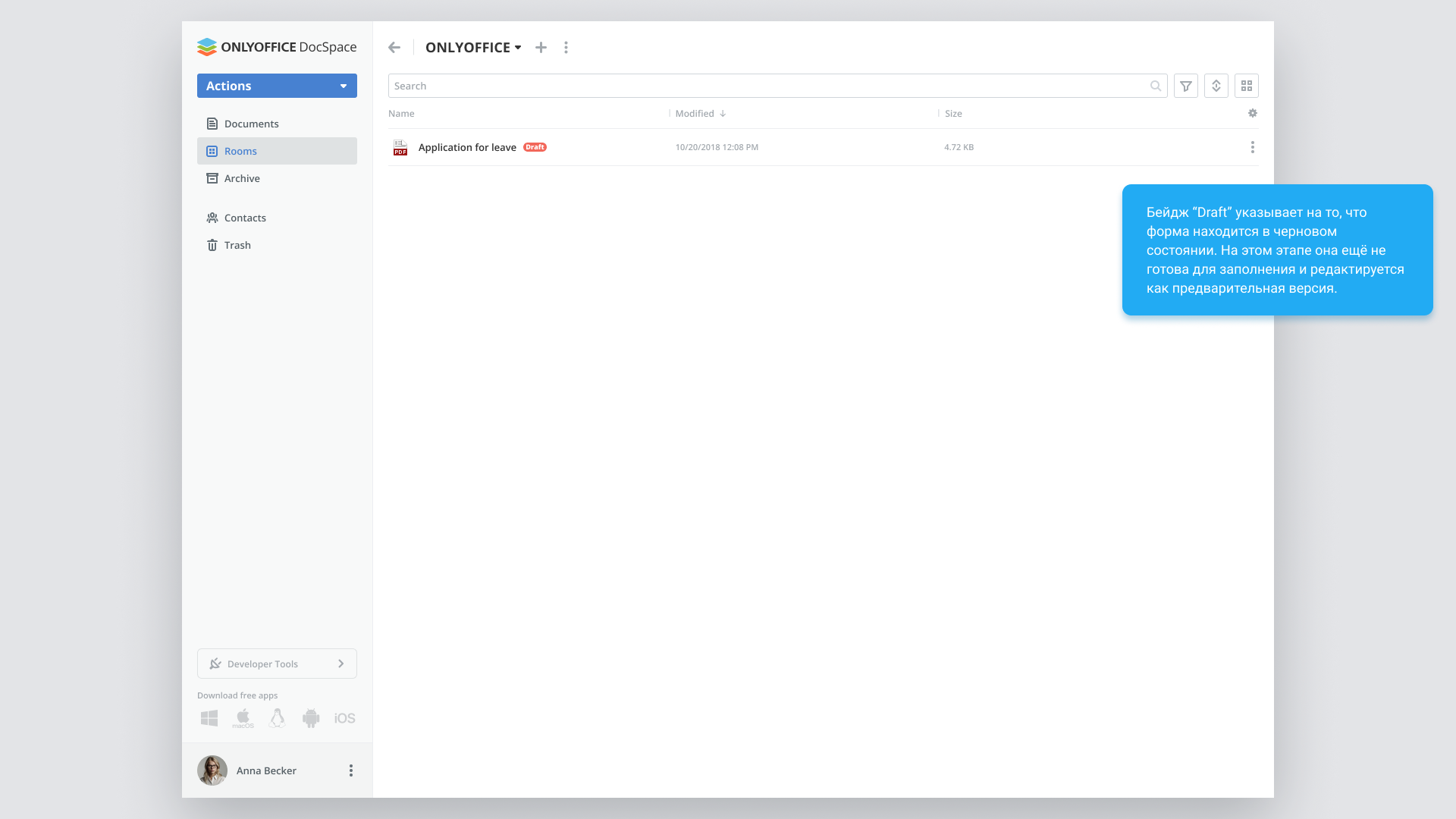
Previously, participants passed PDF forms to one another manually. The task was to simplify collaborative filling and signing and make the process safe and sequential.
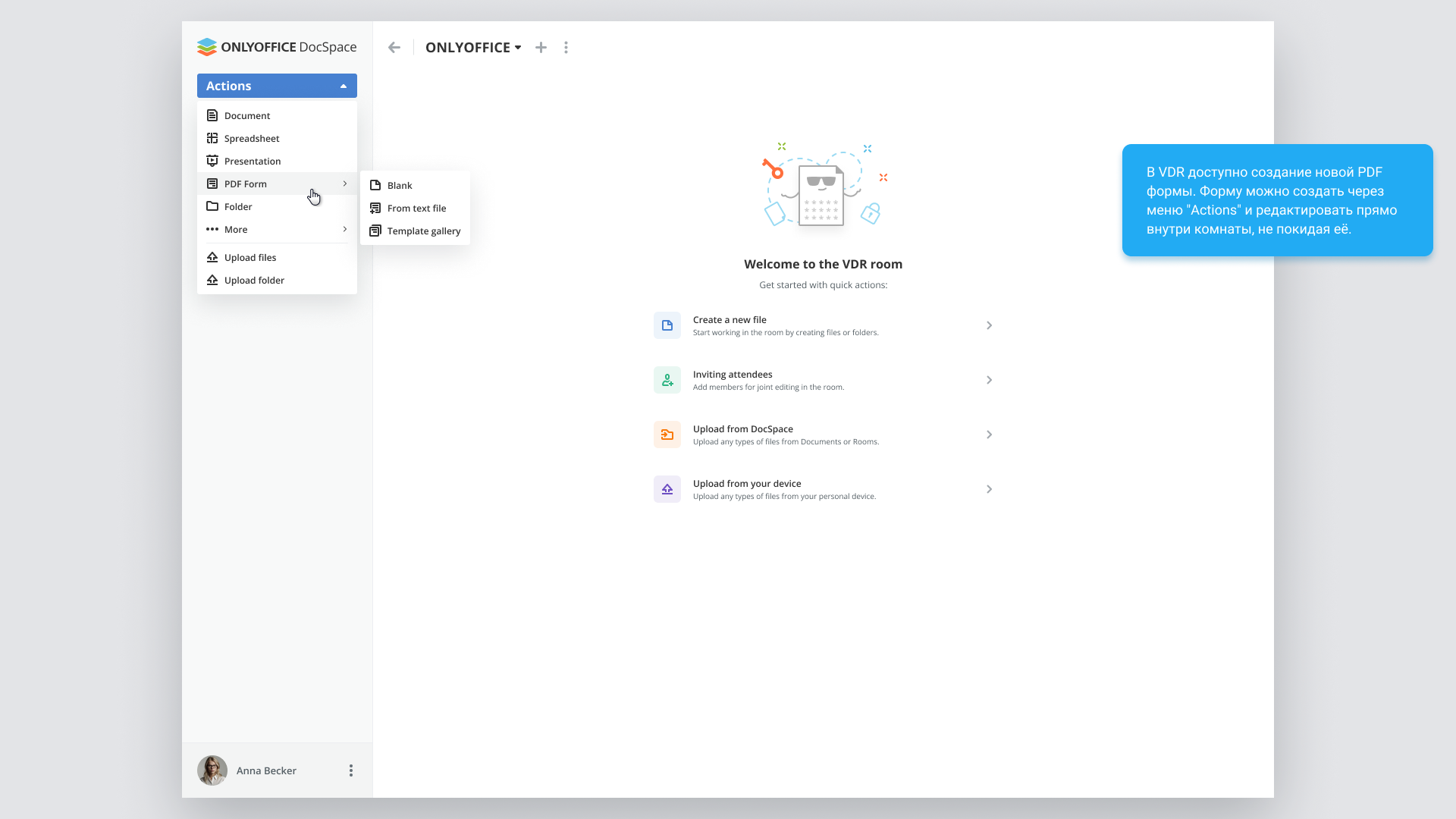
I designed the path from preparing the form and assigning participants to completing every stage. The interface needed to explain who acts now, which fields they can fill and what happens after submission.
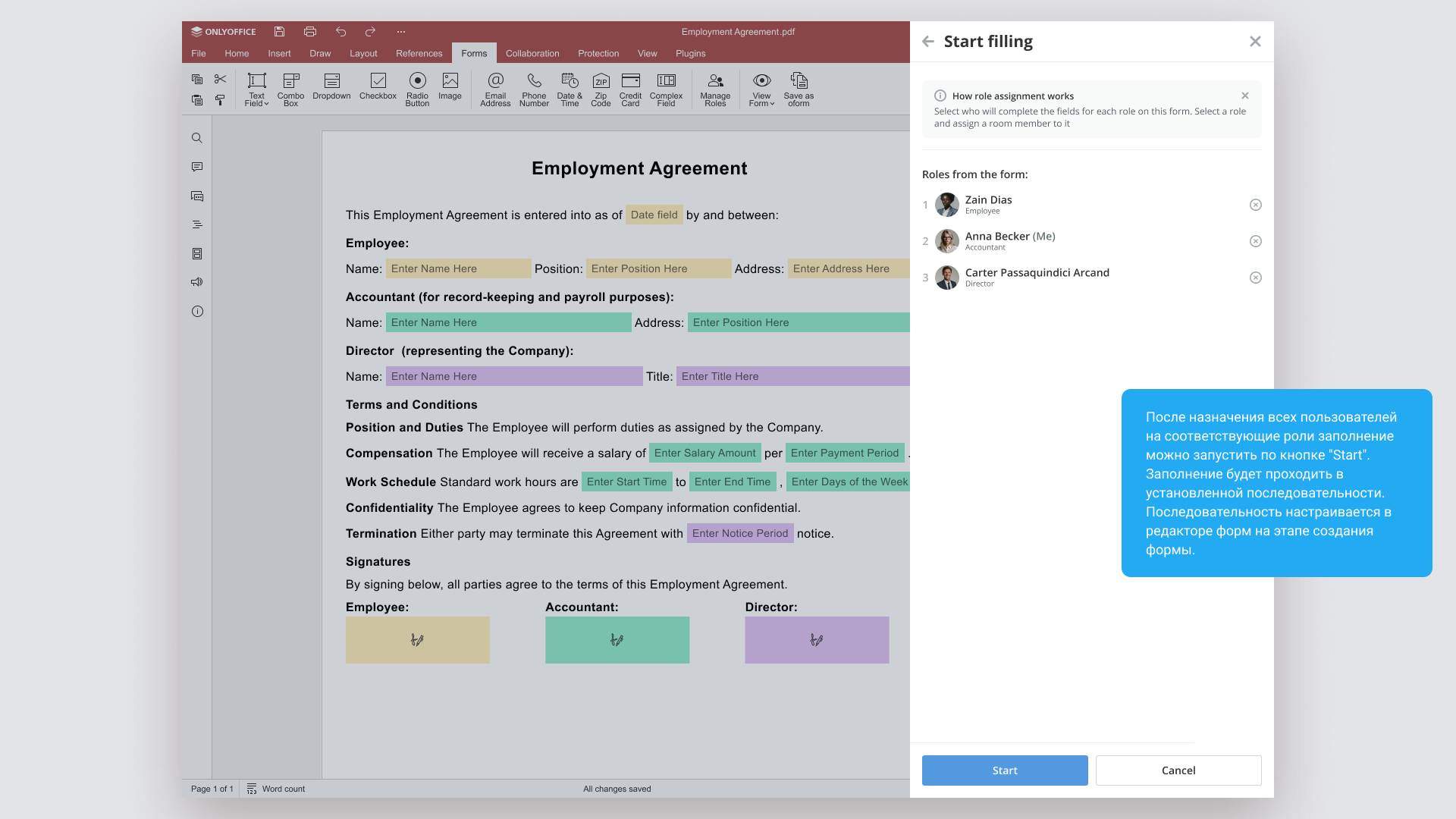
The organizer connects roles to people
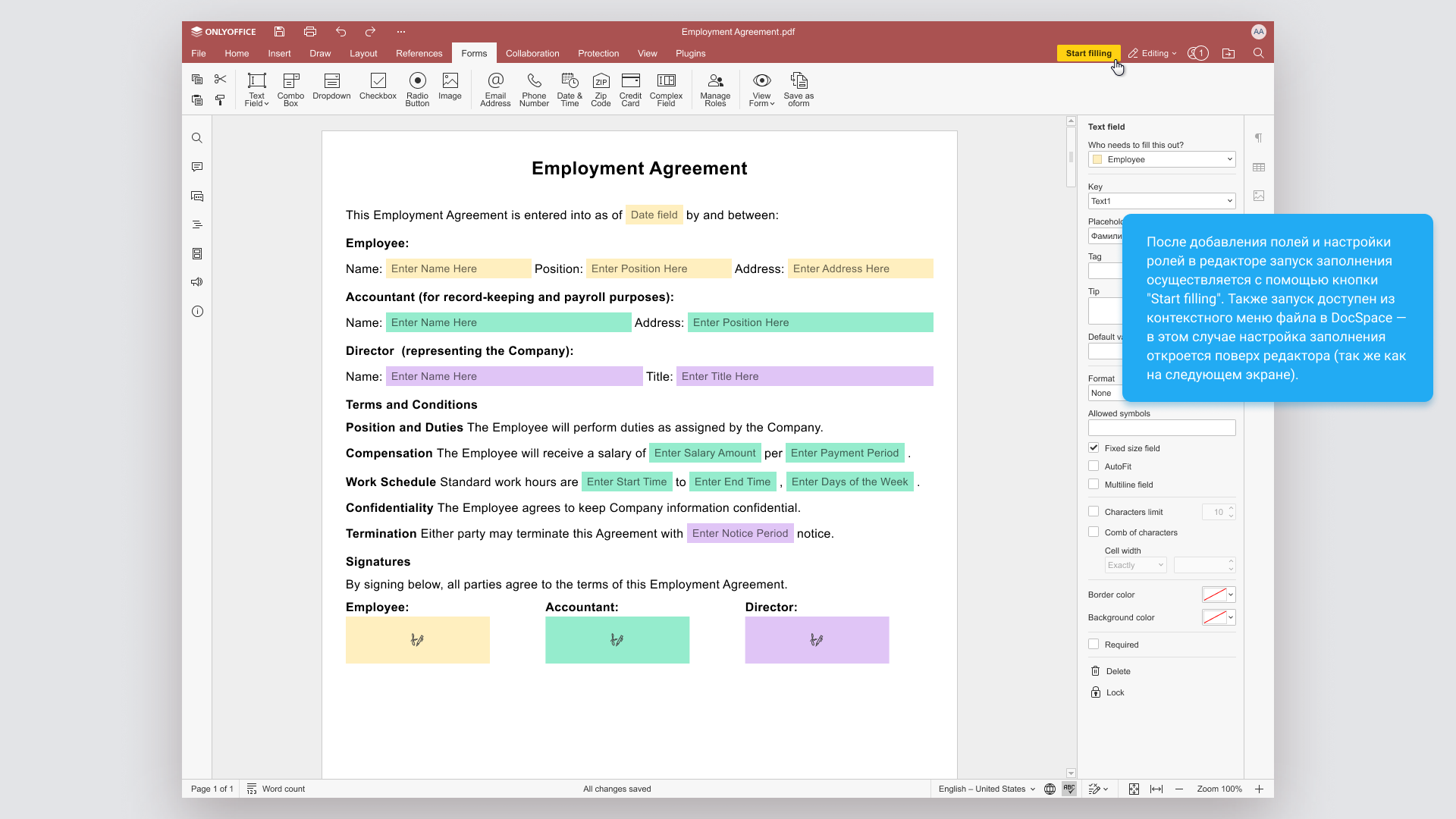
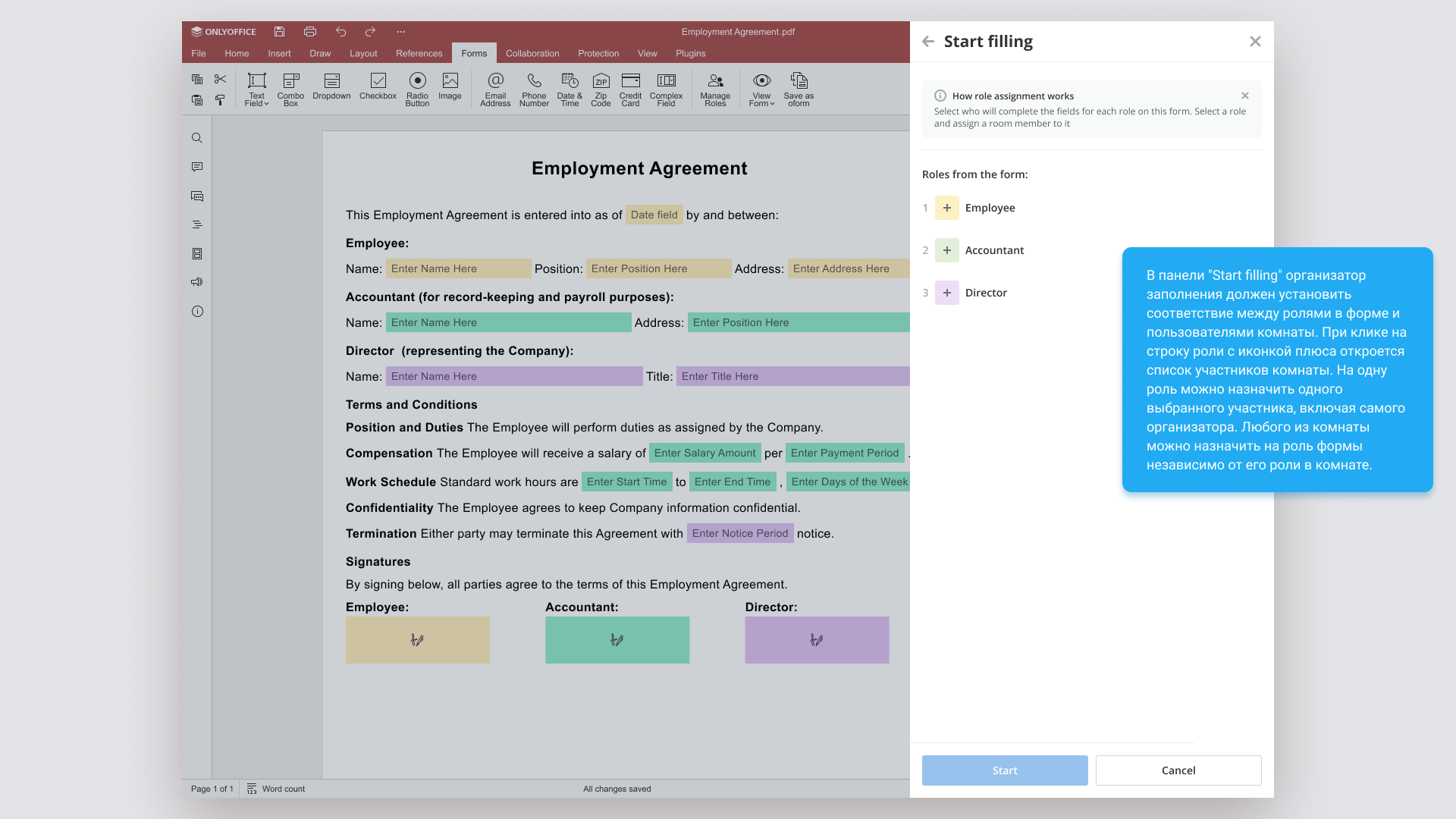
Fields and the role sequence are defined when preparing the form in the editor. Before starting, the organizer assigns users to those roles in the Start filling panel.
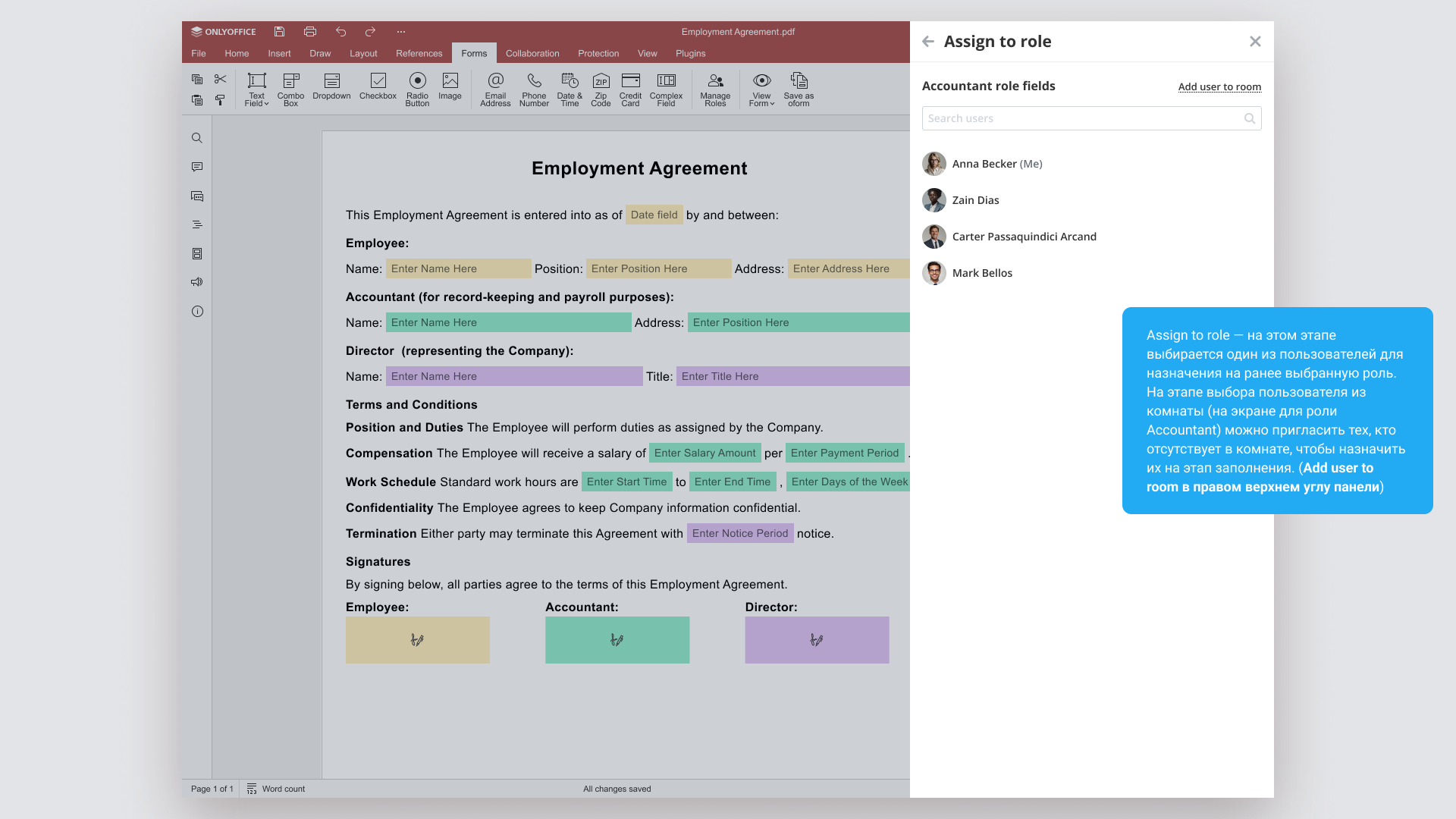
A form role determines which part of the document a person fills. It is assigned separately from their room role. The organizer can also assign themselves as a participant.
If the required user is not yet in the room, they can be invited during assignment. Once every role has an assigned user, the process is ready to start.
View this stage in the presentationEach participant fills their part at the right stage
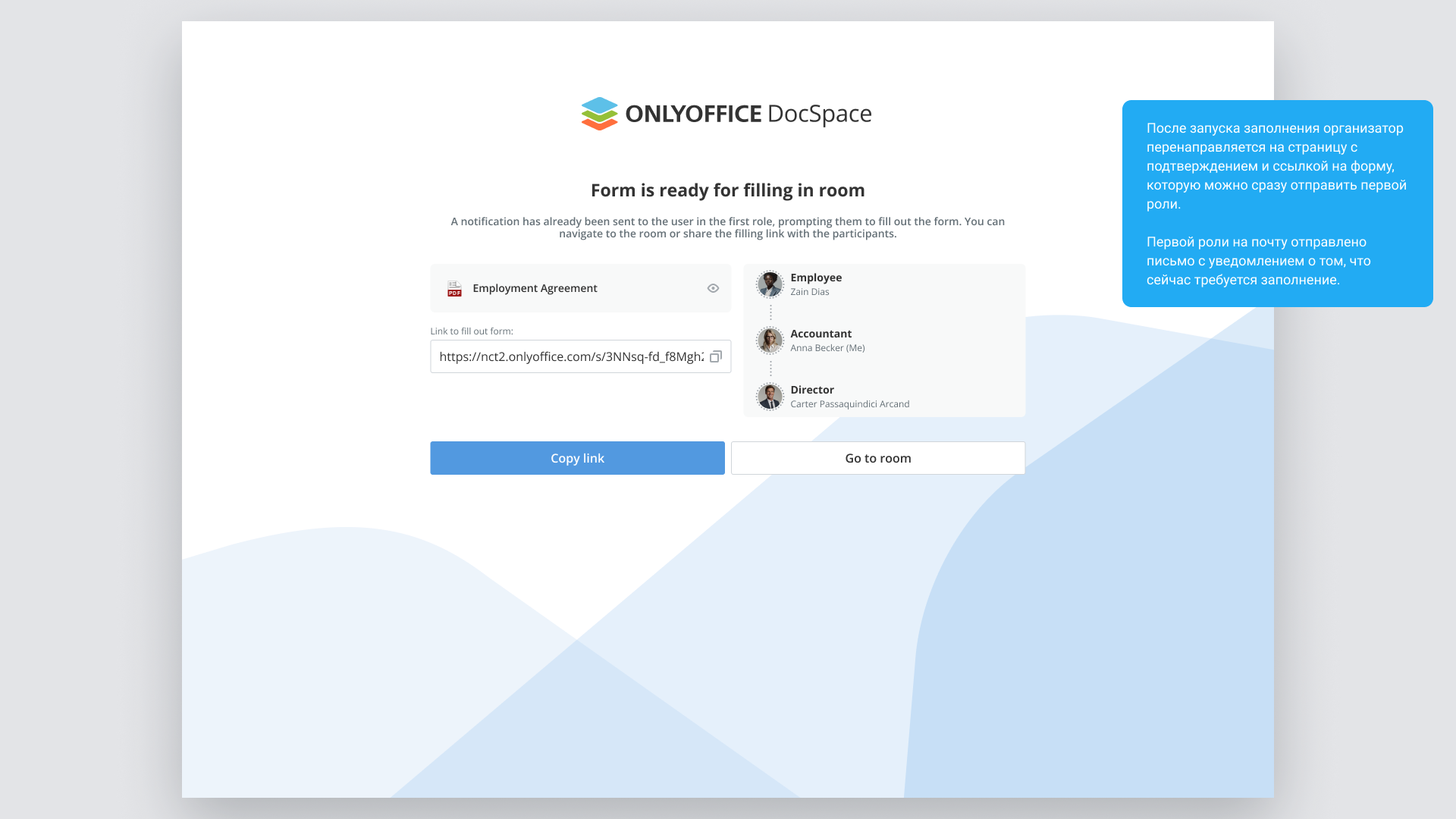
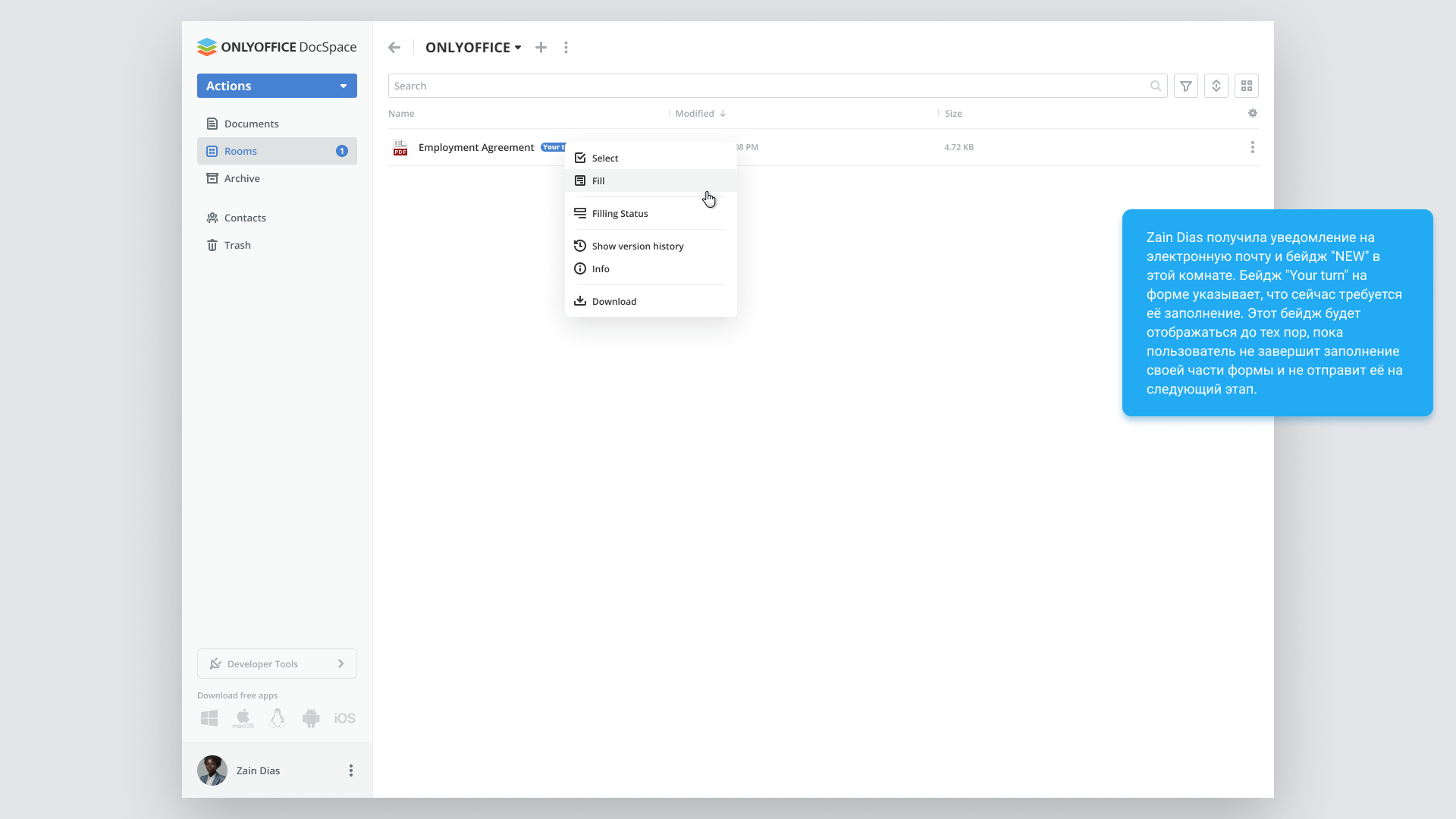
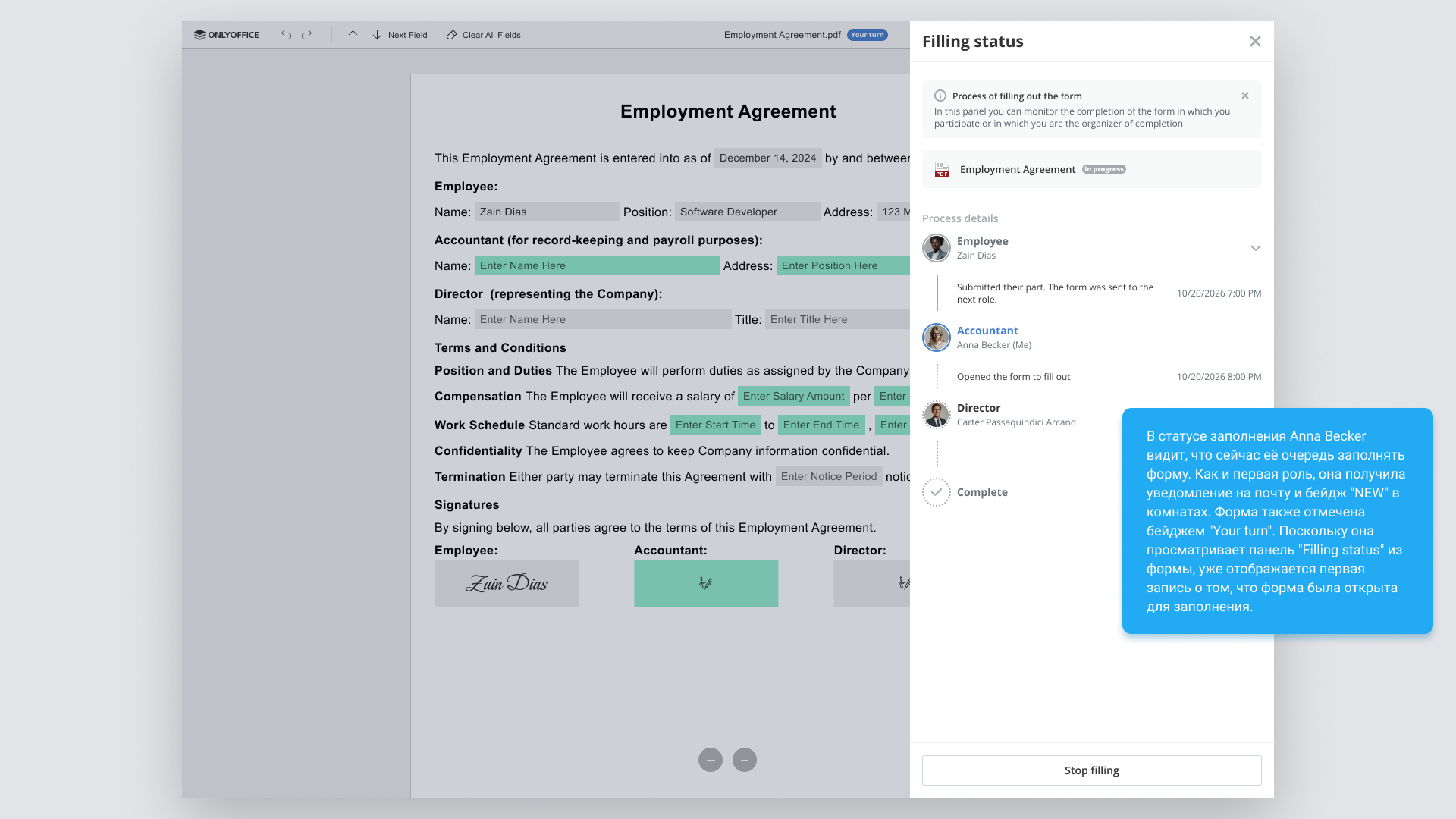
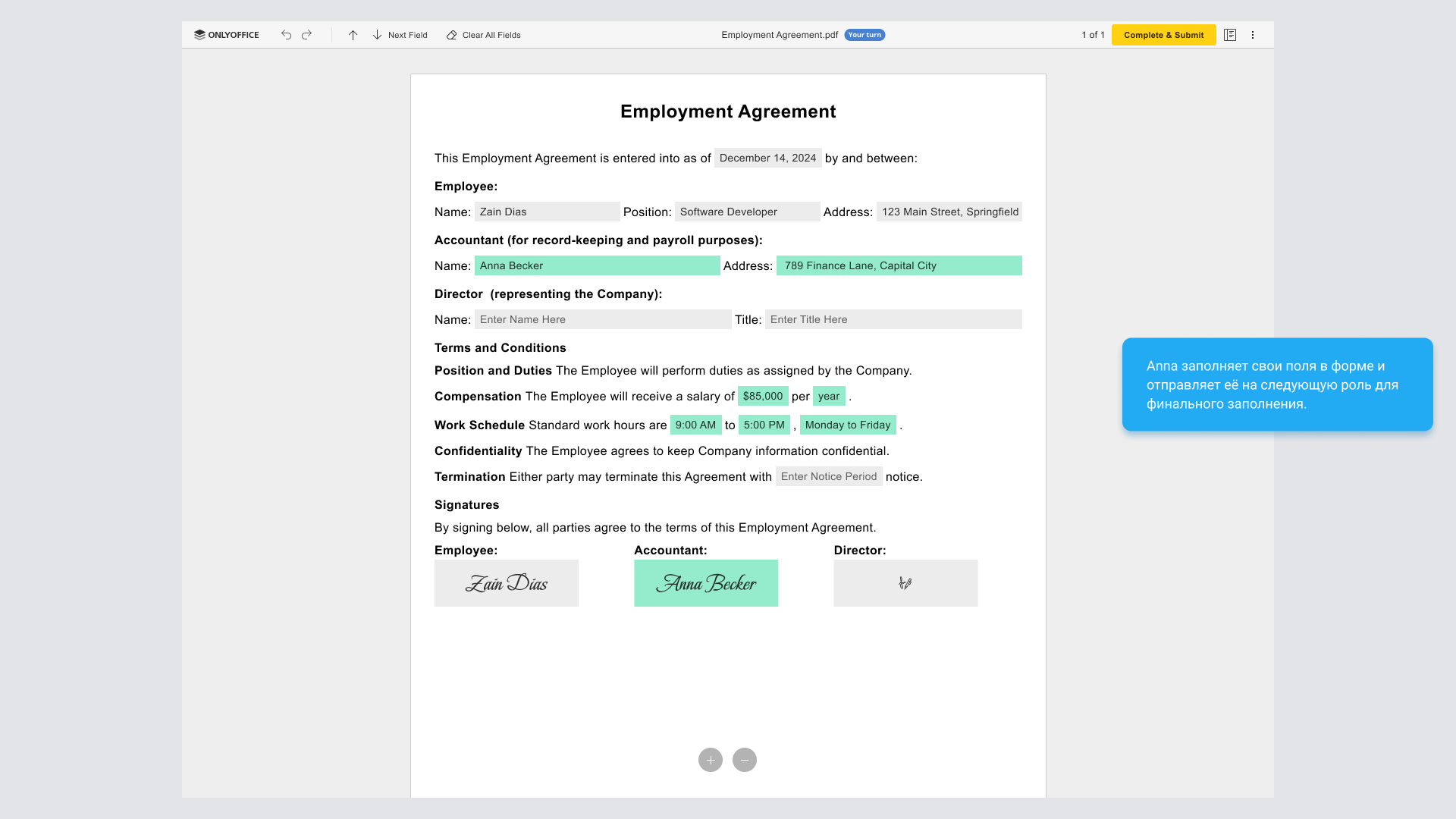
When it is a user’s turn, they receive a notification and the form is marked Your turn.
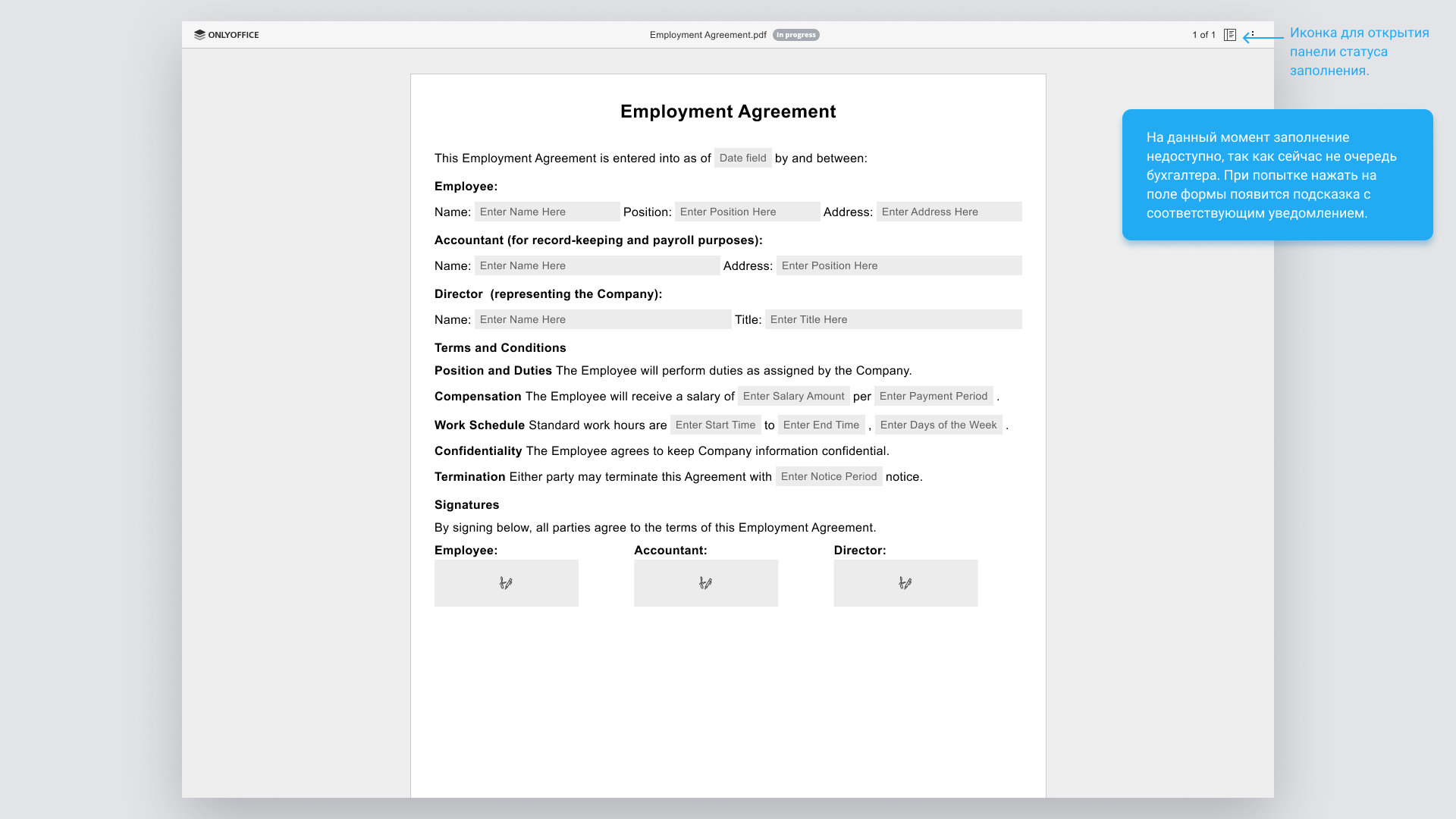
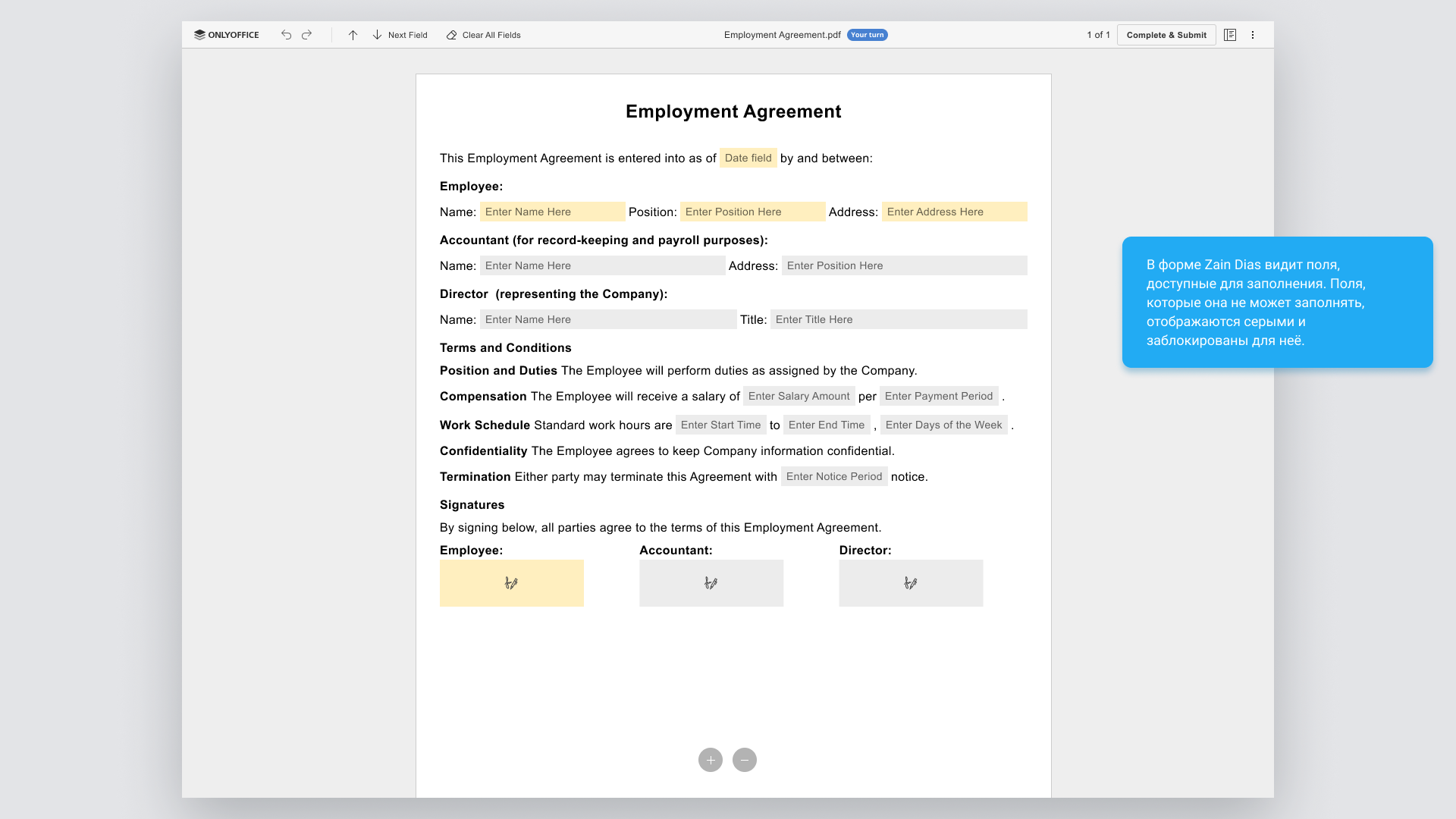
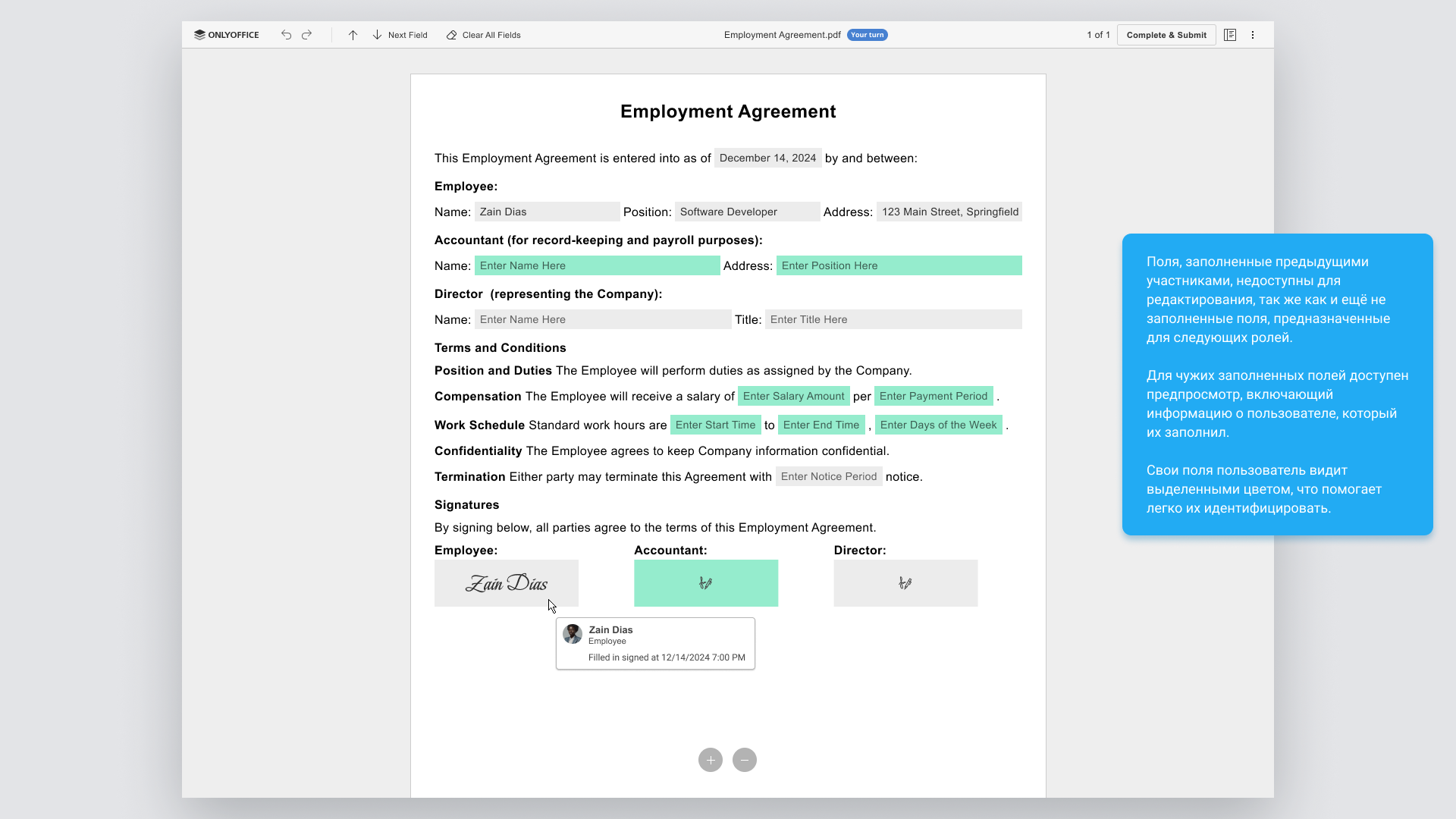
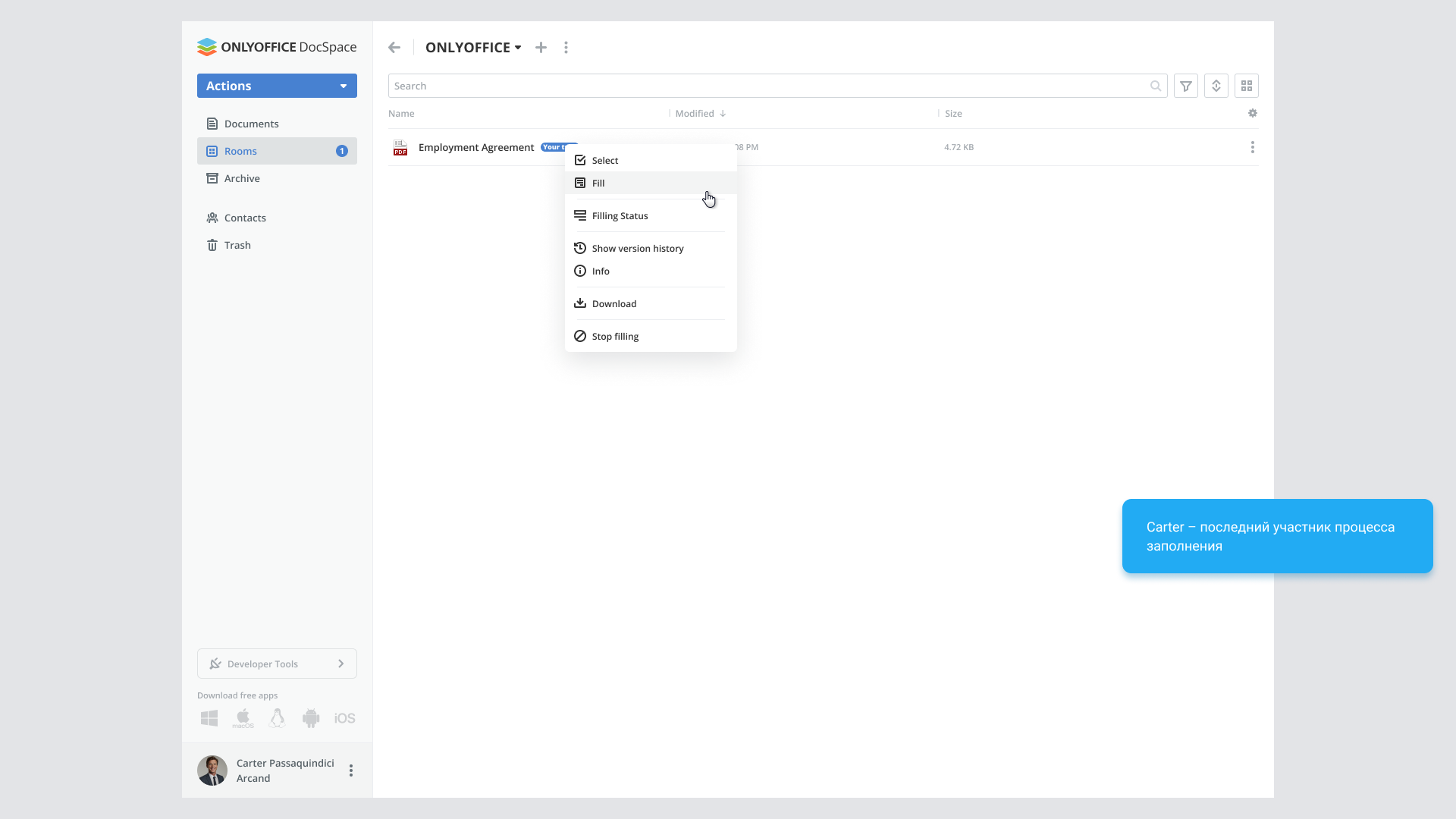
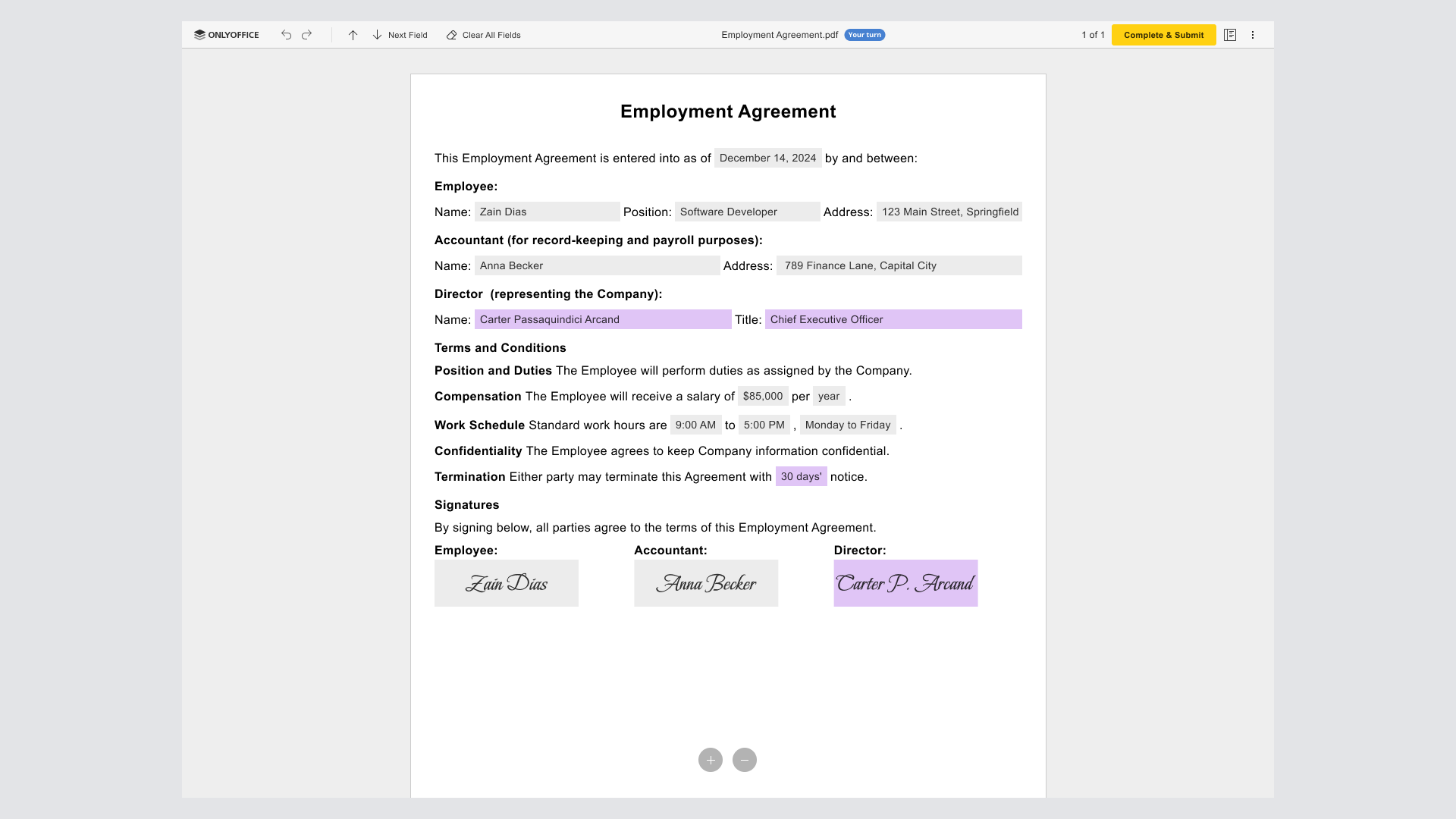
Only fields for their role are available for filling. Other fields are locked, including those completed by previous participants. Color helps users find their own part of the form.
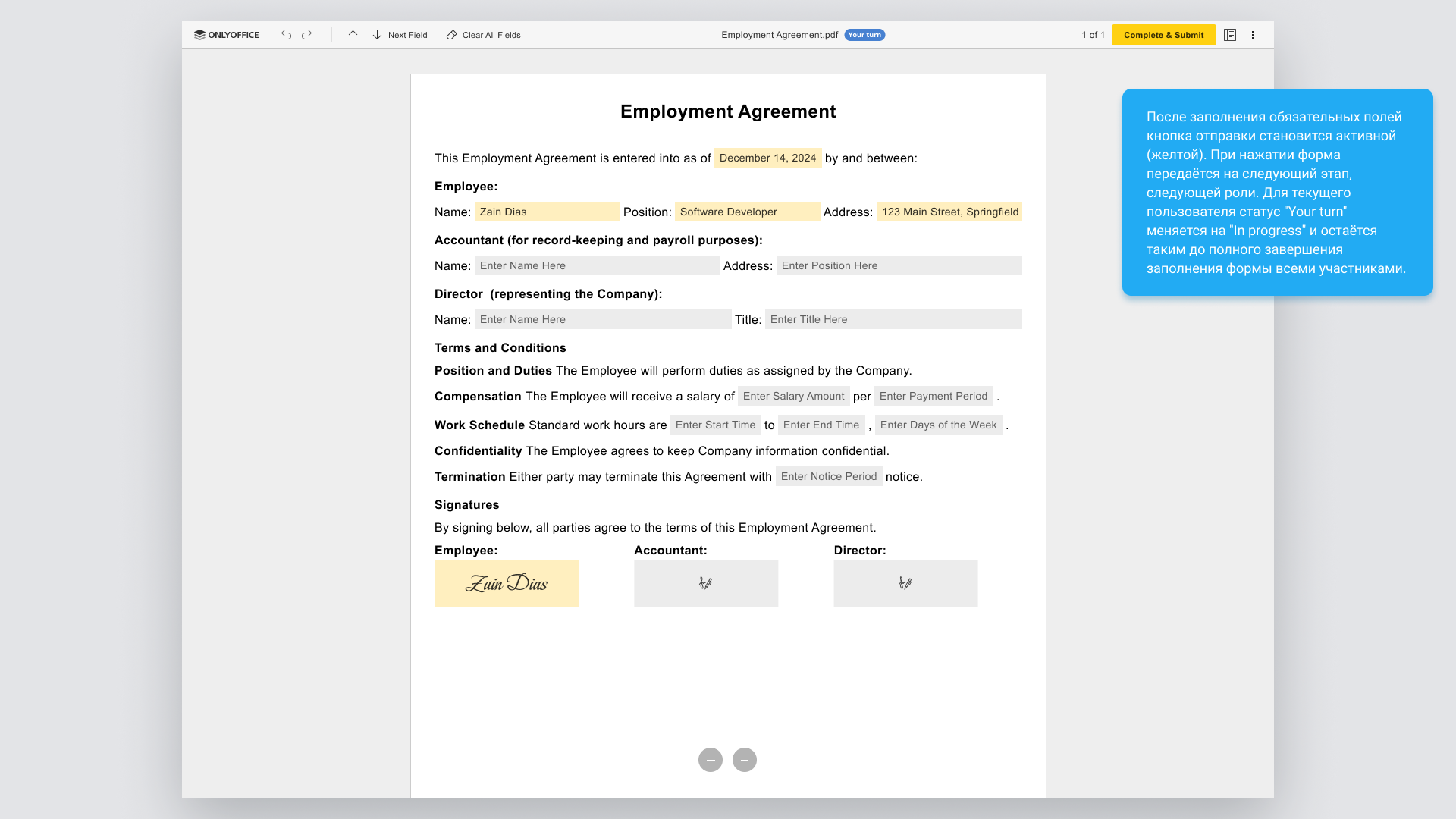
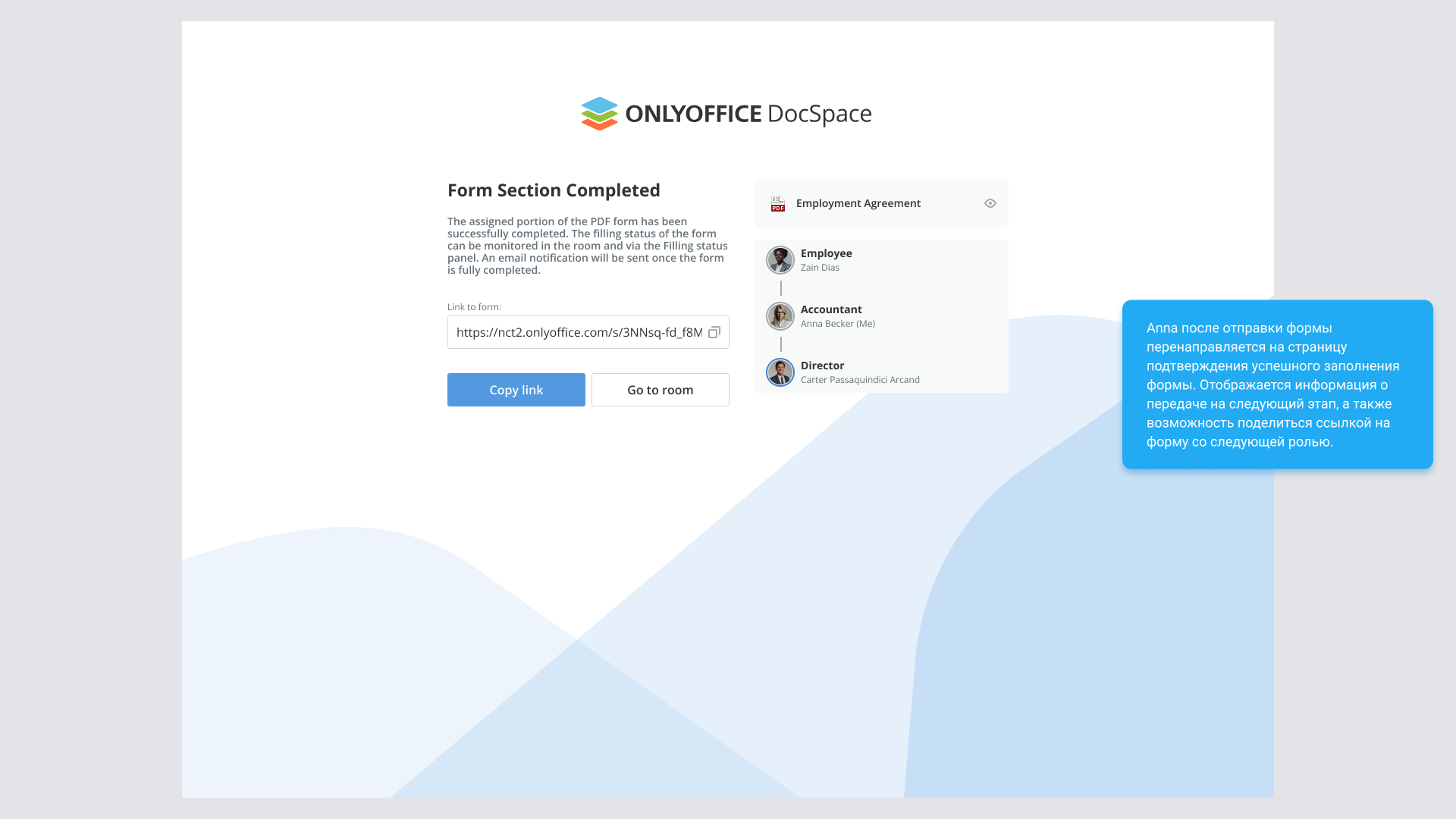
Submission becomes available after the required fields are filled. The document passes to the next role, while the current participant sees In progress: their part is finished, but the overall process continues.
View this stage in the presentationProgress is visible from the form and the room
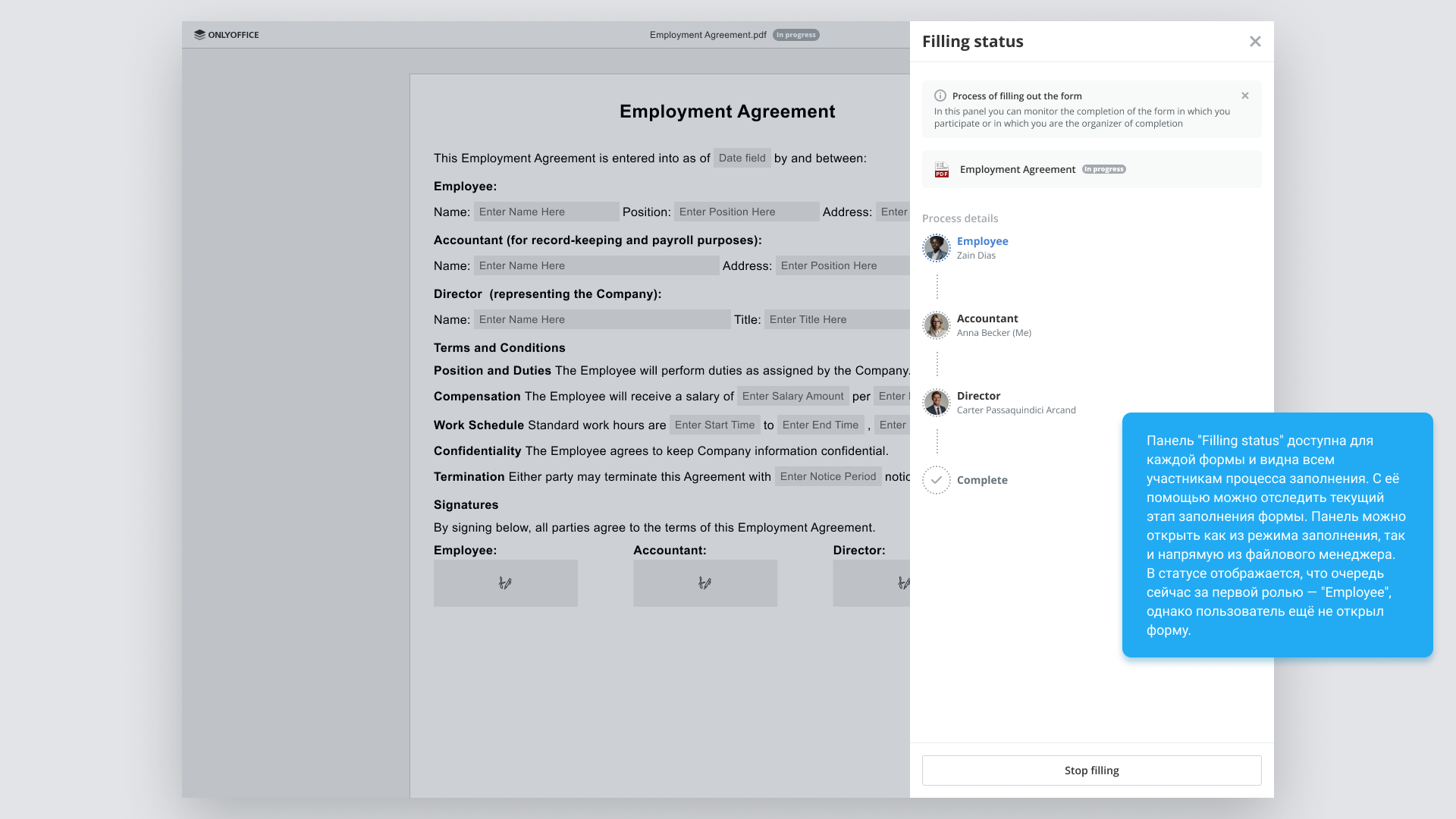
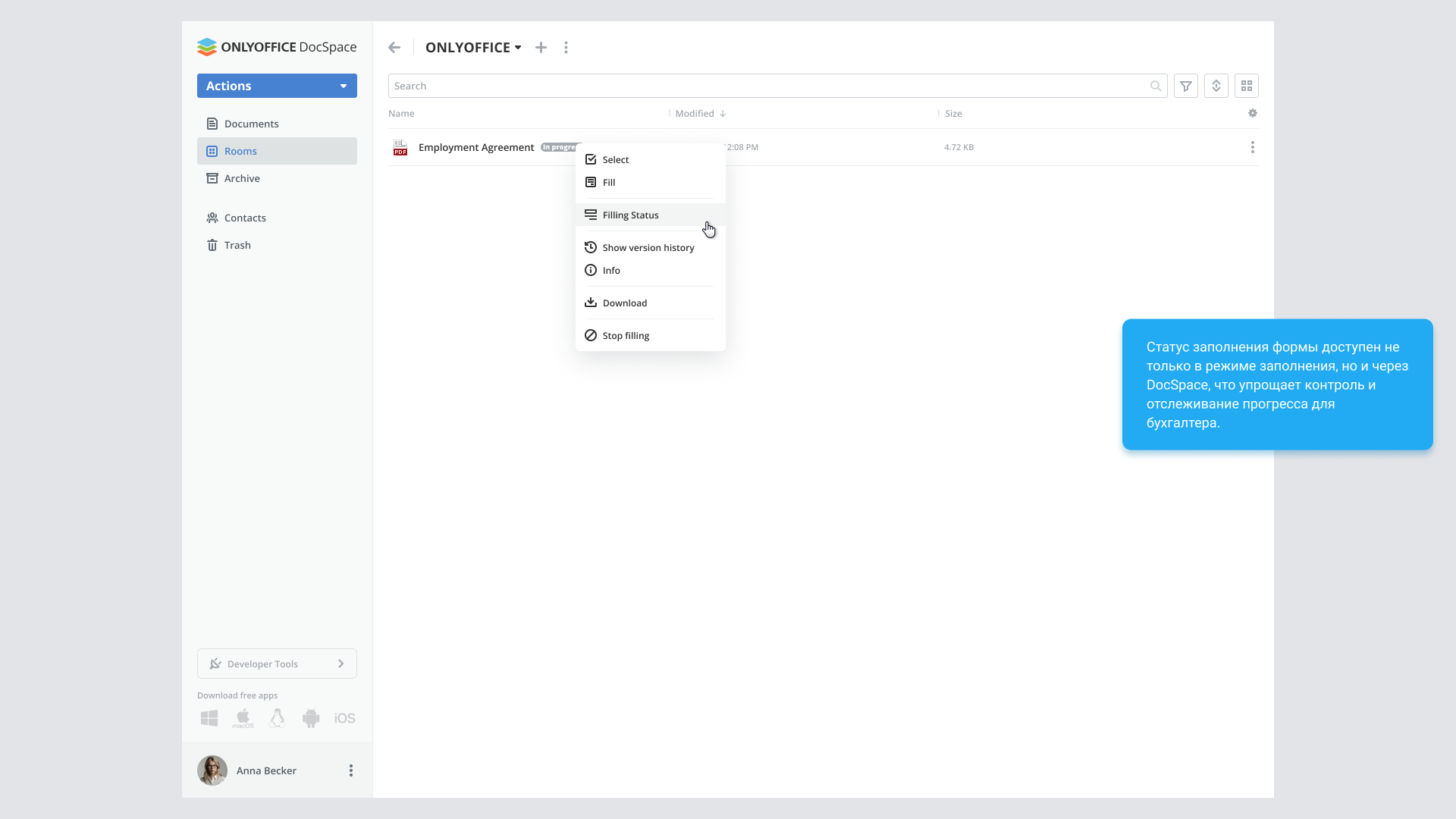
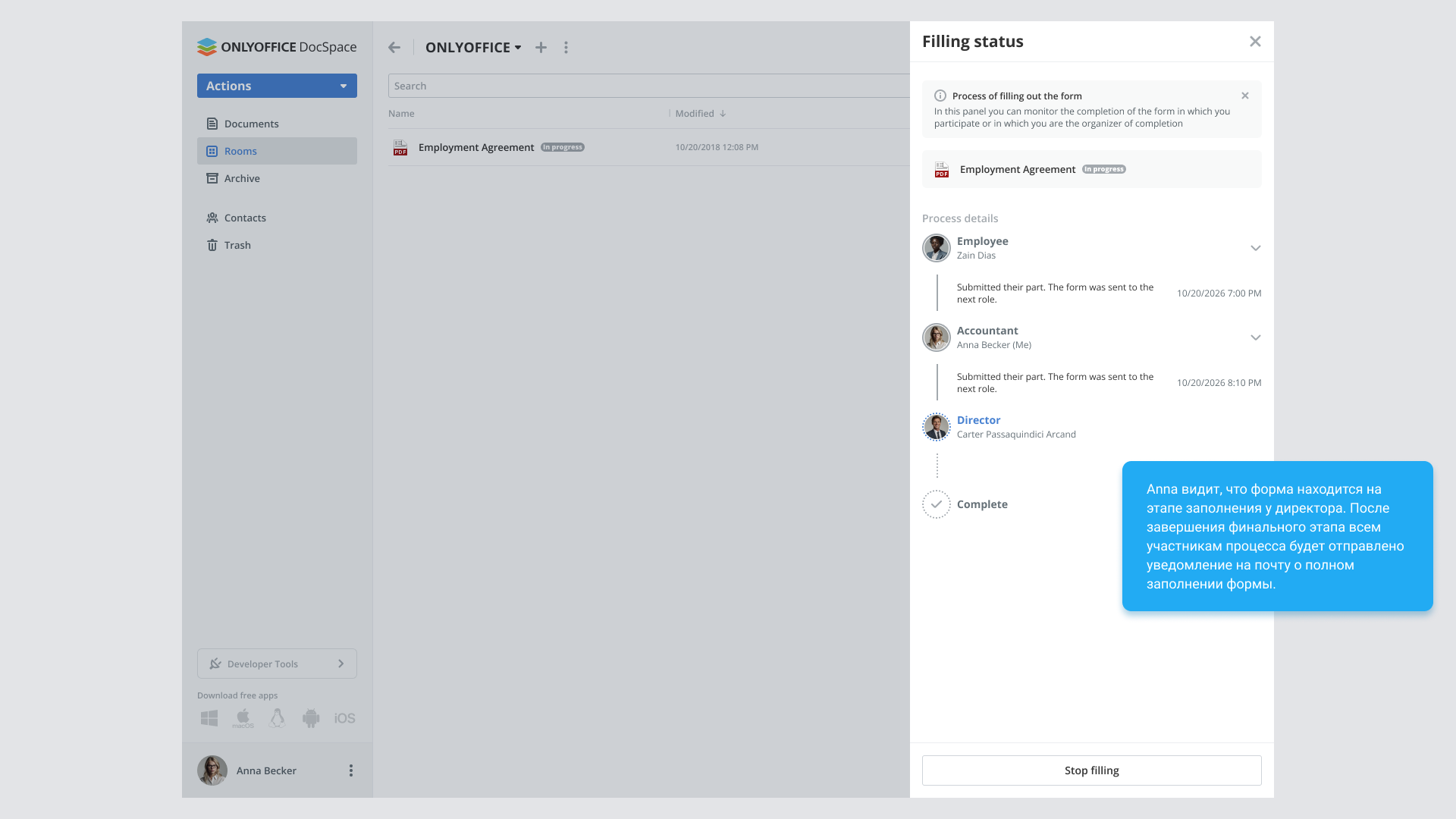
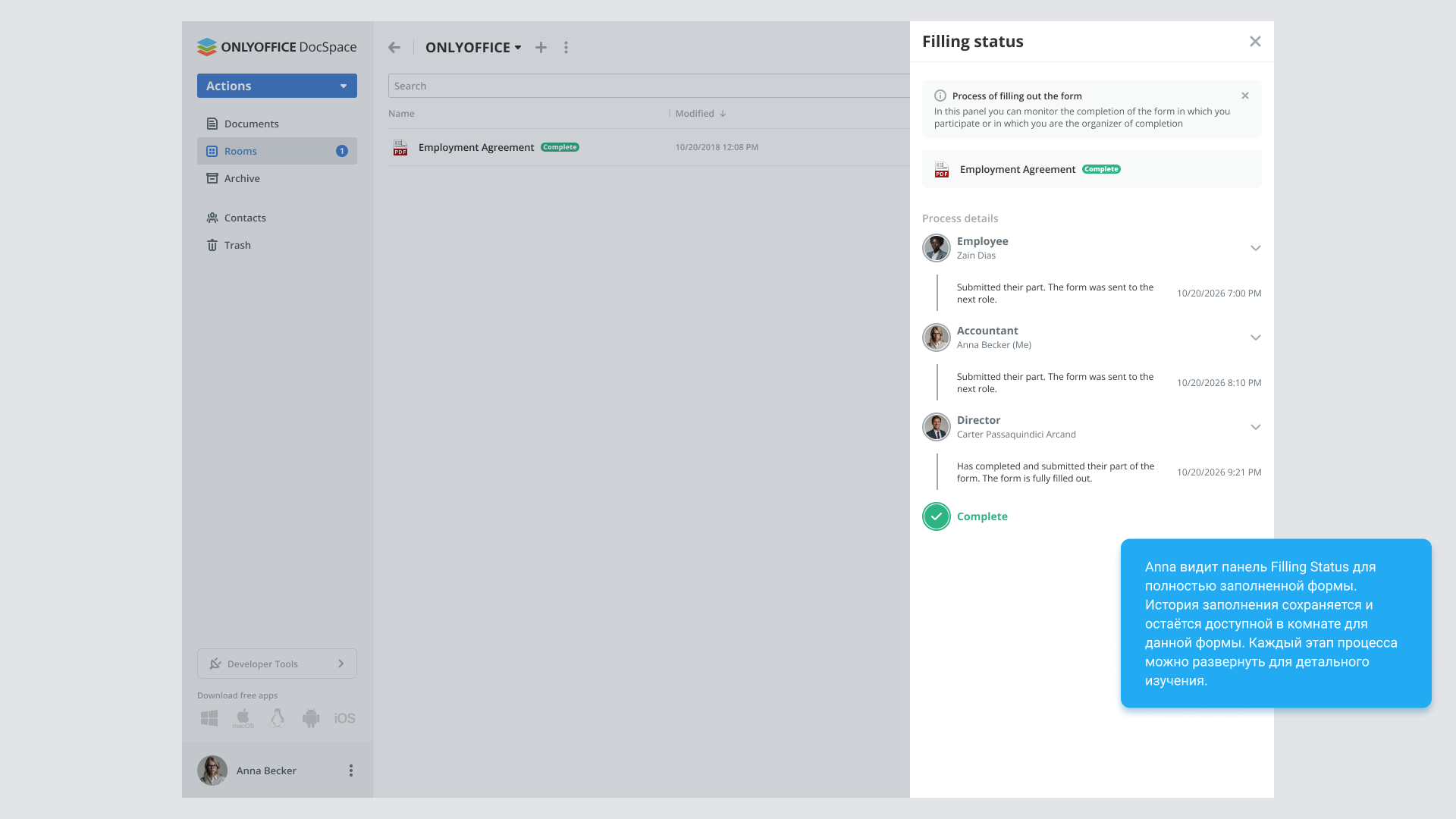
I designed a Filling status panel that can be opened from the document or file manager. It shows the sequence of participants, the current stage and the action history.
This matters to both the organizer and the participants: finishing your own part does not mean the entire form is complete.
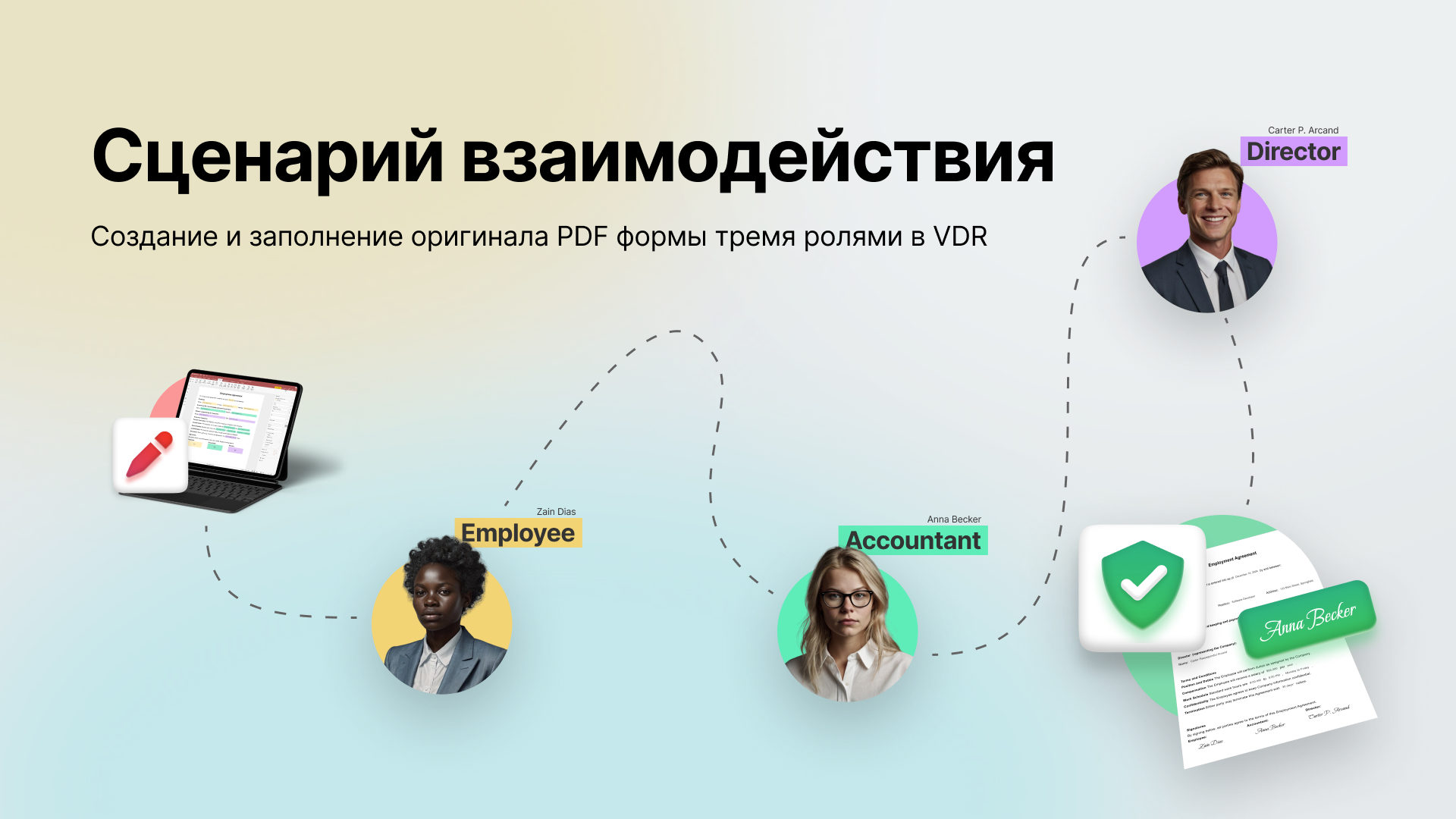
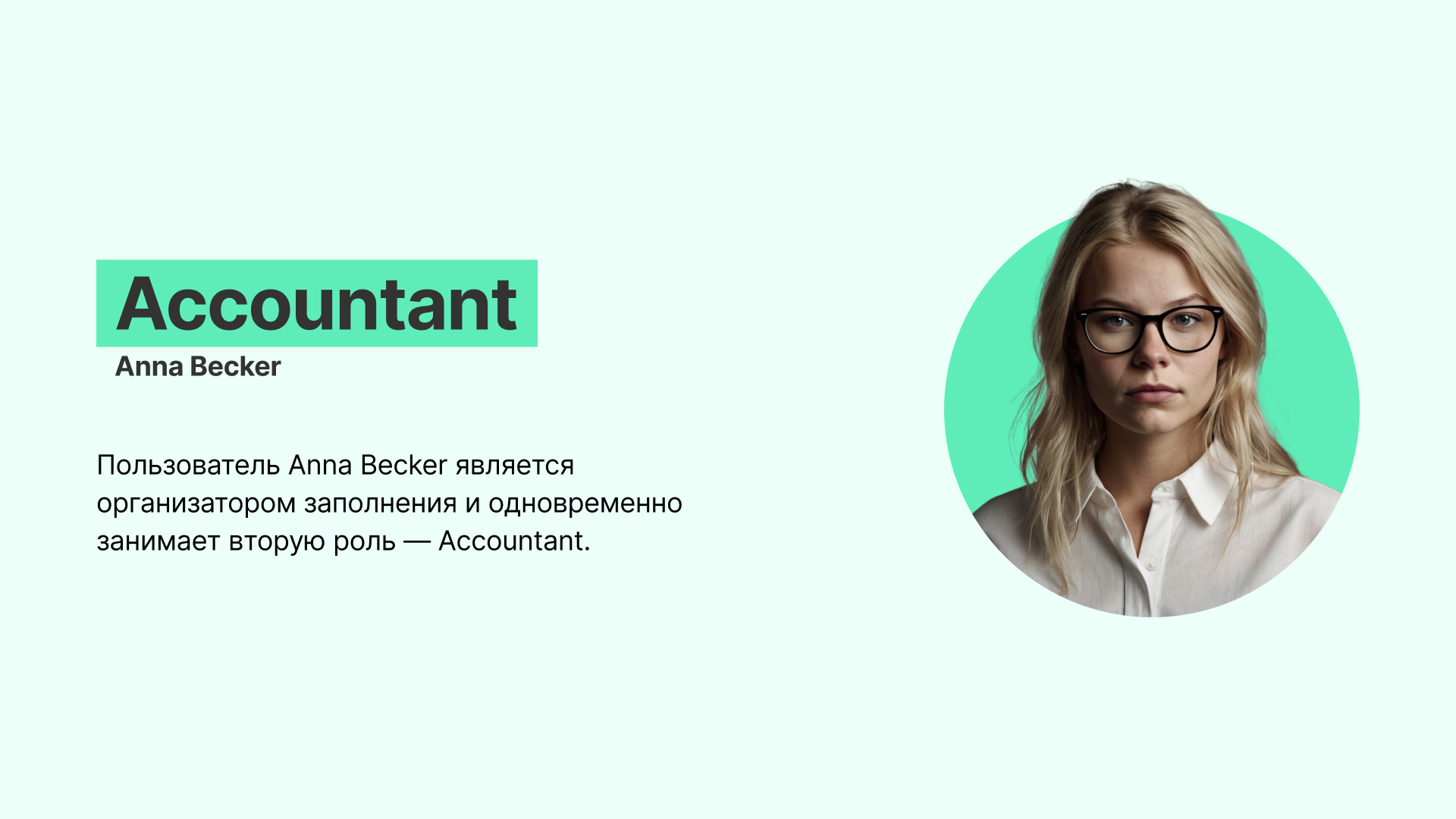
In the demonstration, the accountant organizes the process and also fills the second role. After submitting their part, they can continue tracking the director’s stage.
View this stage in the presentationInterruptions are reflected in the interface
Alongside the main path, I designed stopping the filling process and cases where the required participant is absent from the room.
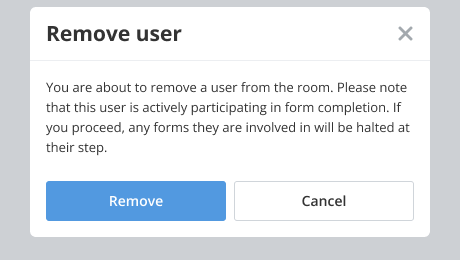
When removing a user, the interface warns that forms they are filling will stop at their stage. The consequence is shown before confirming removal.
The last stage produces a document ready for viewing
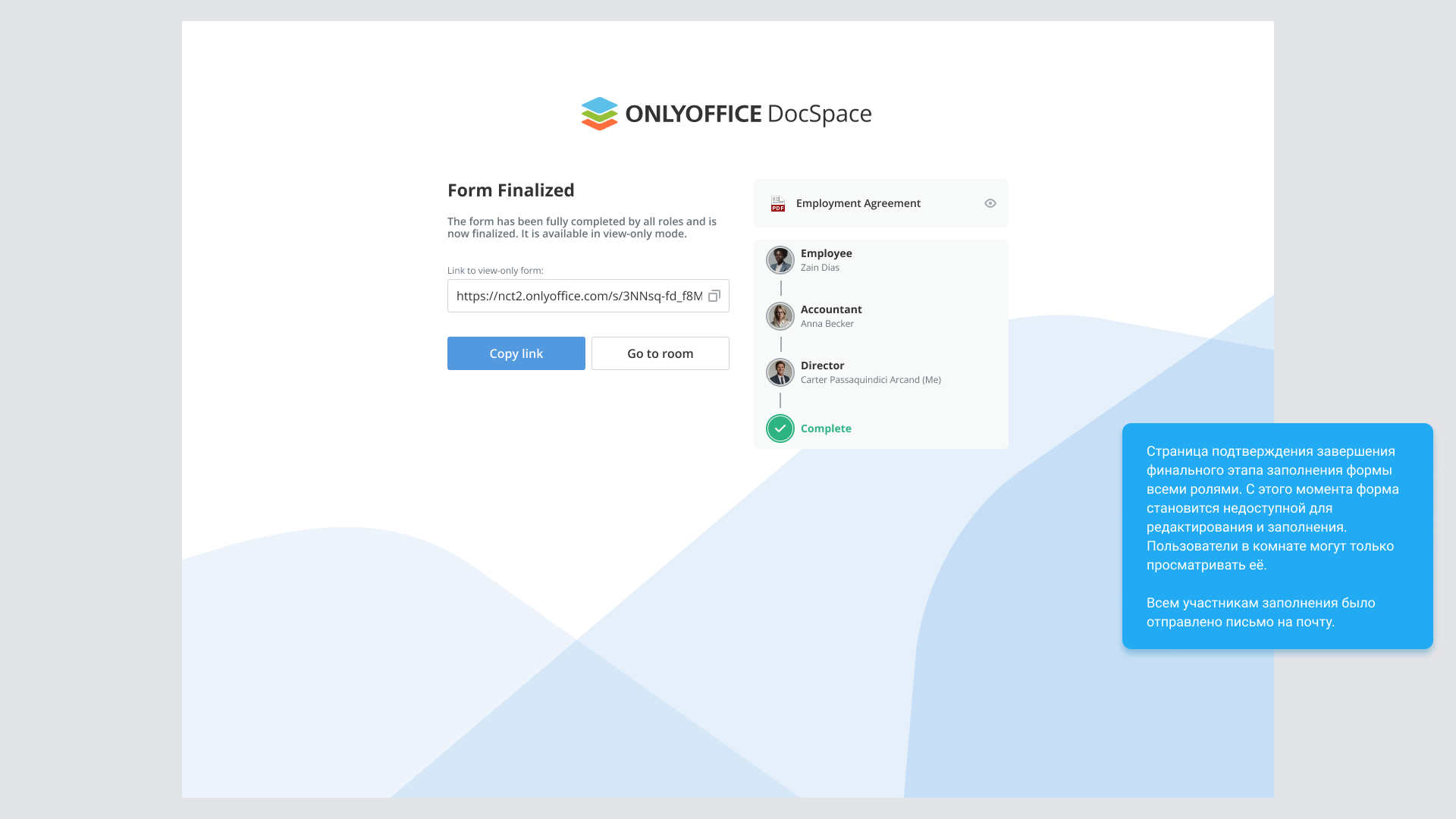
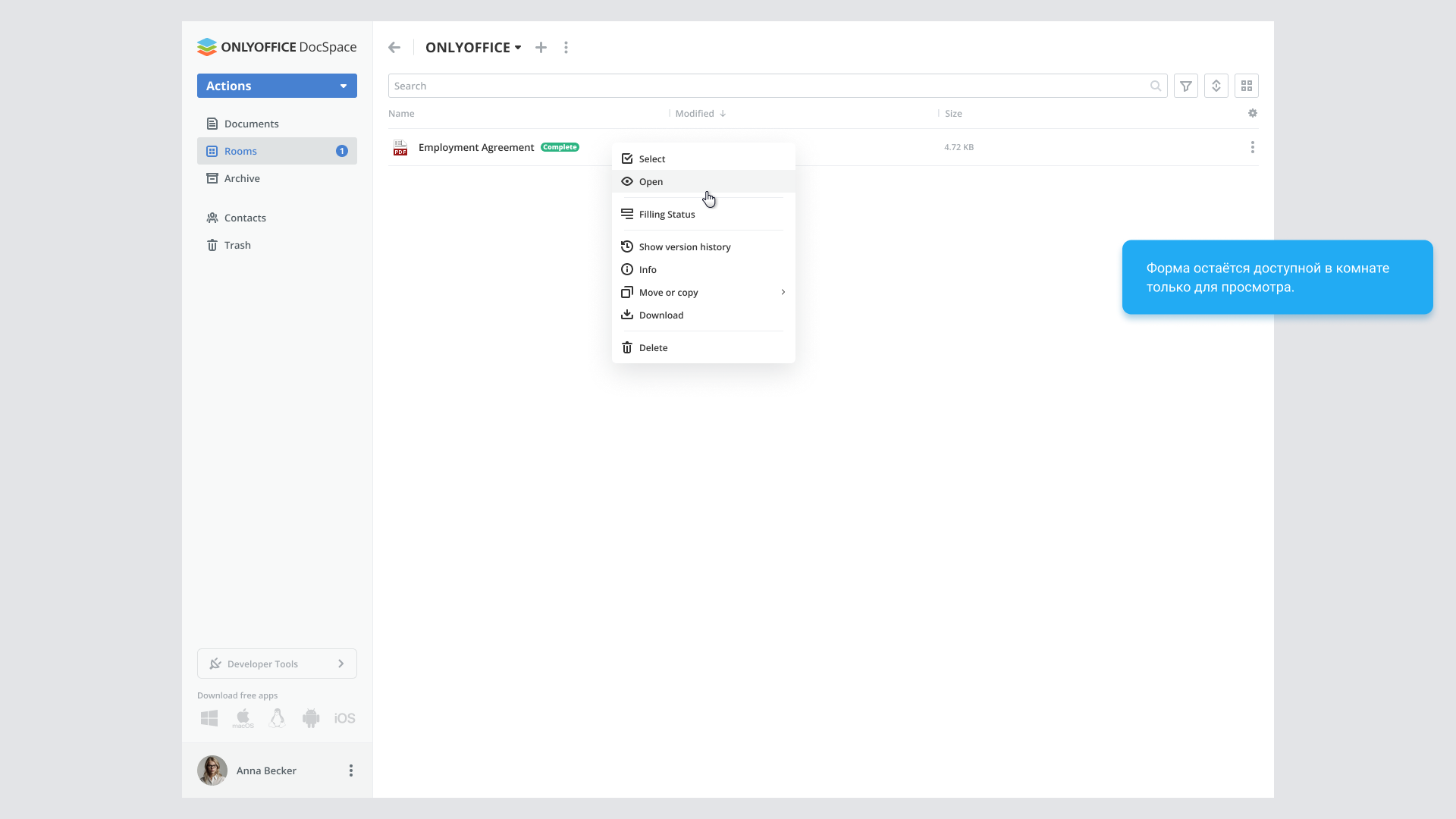
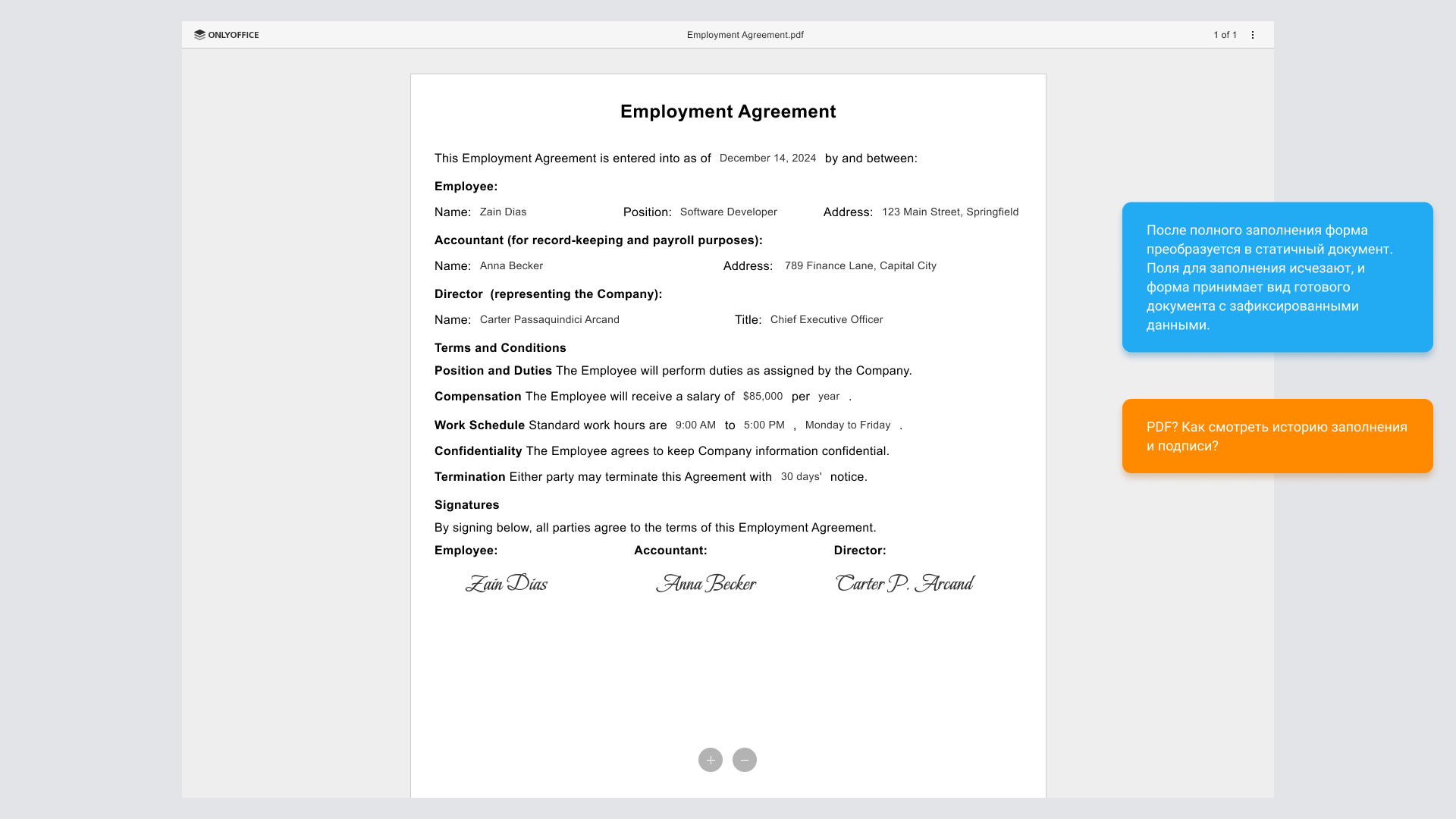
Once the last role finishes, the form receives Complete status. It becomes view-only, while the history of stages is retained.
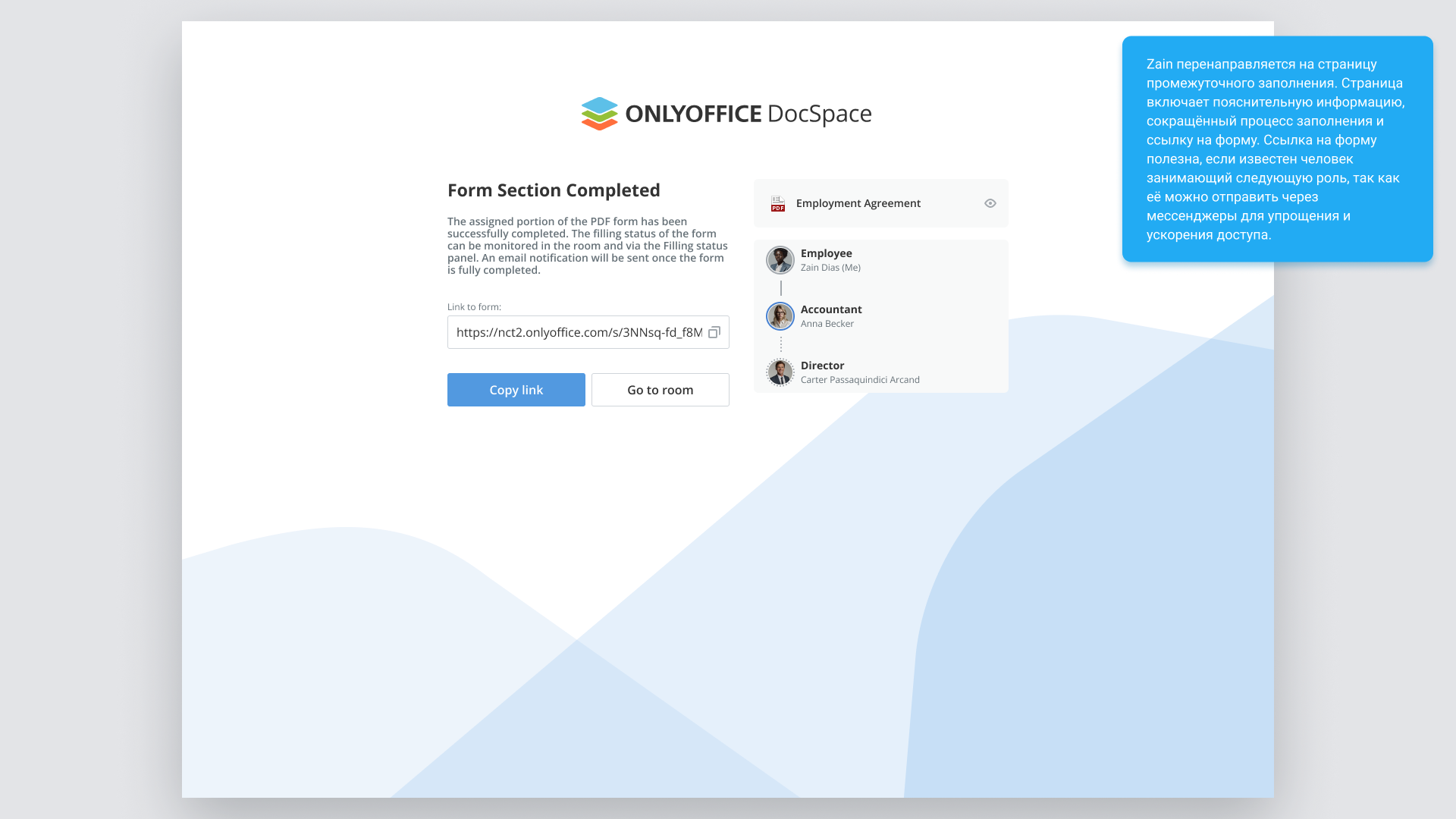
The completion page explains the document’s new state and provides a viewing link. Every participant receives a completion notification.
View this stage in the presentationThe flow has been implemented
All the capabilities shown have been implemented. Users can fill and sign the document in sequence, track the stages and view the completed form with its process history.
Feedback is currently being collected. After it is reviewed, the flow will be refined in future product versions.