Form SpacesA workspace model for collecting completed forms
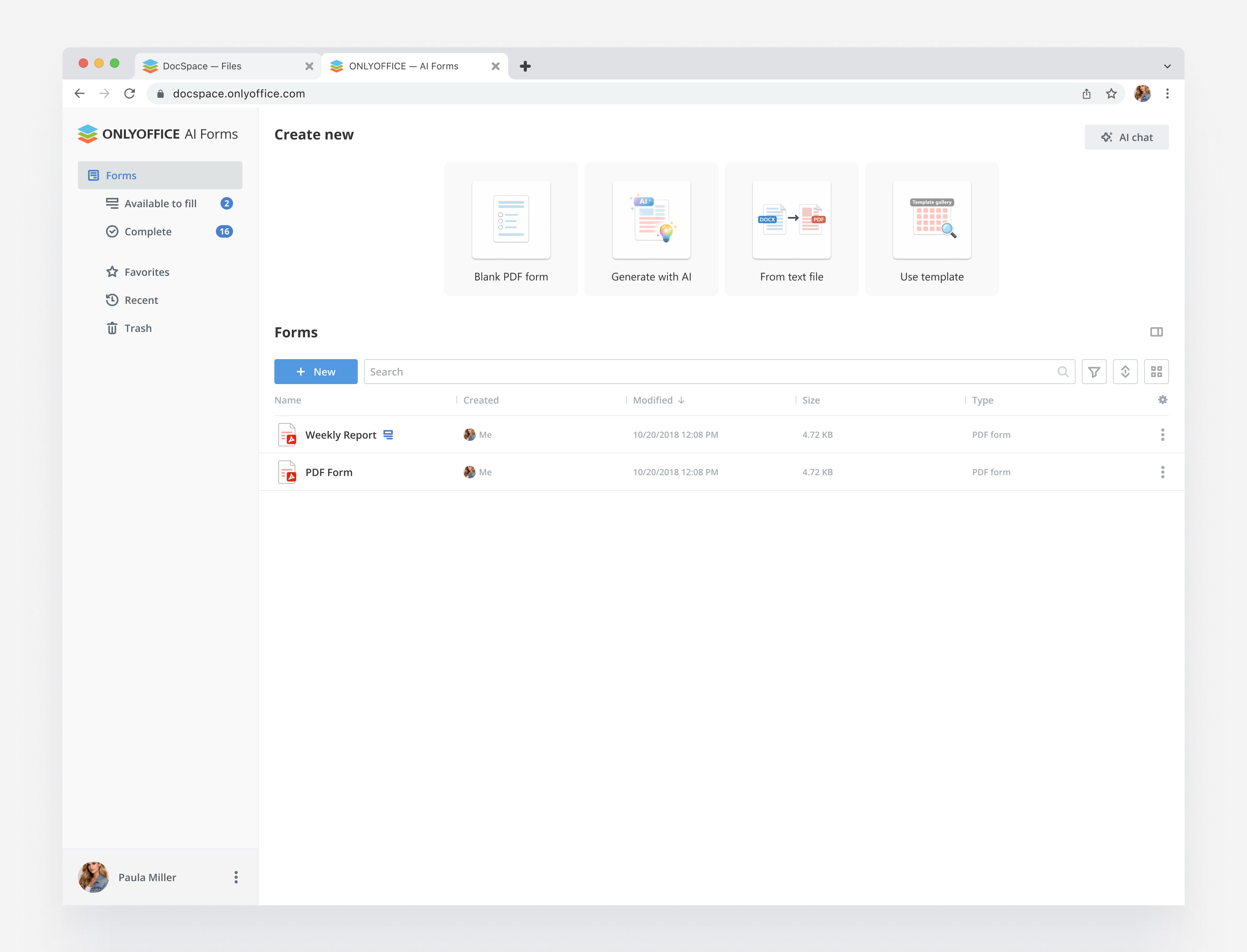
I designed a workspace for teams that work with structured forms: applications, requests, reports, approvals, and internal surveys.
The main challenge was to turn a technically complex flow into a clear product experience: create a form space, invite people, collect completed copies, track progress, and analyze the results in one place.
Designing a clear workflow for collecting form-based data
The product was designed for teams that need to collect structured information from many people and then work with the results.
The existing logic was too close to a file-based model. Users had to understand where the original form lives, where completed copies appear, who can fill it, who can review it, and what happens after submission.
My goal was to make the workflow feel like a dedicated product, not a set of disconnected file actions.
The core model became simple:
Create a space → add a form → invite people → collect responses → review and analyze results.
The user should not have to understand the internal file logic
The main problem was not visual complexity. The problem was conceptual.
The same form could be a template, a source file, a fillable document, a completed copy, or part of a collection process. For the system these were different states. For the user it was one task: send a form and get answers back.
The interface had to hide unnecessary technical details, but still keep the logic precise enough for permissions, statuses, and future scaling.
Make the space the main working unit
Instead of making users think in files and folders, I placed the collection process inside a dedicated space.
A space became the place where the user understands the full context: what form is being used, who is involved, how many responses are completed, and what still needs attention.
This helped separate the original form from collected copies and made the product easier to explain.
Separate form creation from response collection
One of the key decisions was to clearly separate the form as a reusable object from the collection process.
The same form can be reused in different spaces, but each space has its own participants, responses, statuses, and history.
This keeps the product scalable and avoids mixing template management with response management.
Use AI as a result layer, not as the main interface
AI was useful after responses were collected. It could summarize patterns, find missing information, group similar answers, and help the user understand what requires attention.
But I did not make AI the center of the whole workflow. The core product still had to work without it: users need clear statuses, access, response lists, and review tools.
AI became an additional layer on top of structured data.
A calm interface for complex operational work
The visual system had to support long sessions, dense information, and frequent status checking.
I used a quiet layout, clear spacing, restrained cards, and status colors only where they help users understand progress or risk.
The interface avoids decorative complexity. The focus stays on the work: forms, people, responses, and decisions.
A product model that can grow beyond one form scenario
The result was not just a set of screens. It was a product model that separated forms, spaces, participants, responses, and analysis.
This made the experience easier to explain to users and easier to extend later: more space types, more collection scenarios, role-based flows, review stages, and AI-assisted analysis could be added without rebuilding the whole structure.